Home > Security Testlet

Security Testlet

April 25th, 2011 in ICND1 Go to comments

Question


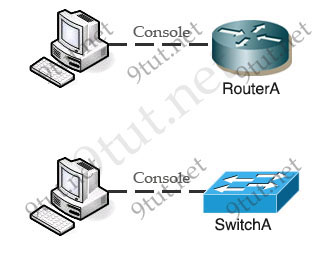
Security_SIM.jpg

Not sure about the requirement of this question but it is something like this:

Before this switch and router can be put to use in the network, what security risks can be found…

We are still not sure about the configurations in this sim but we got some information to share with you (updated on December-07-2011. Thanks Joe Mendola, xallax and many candidates who share the information!):

Maybe this is the configurations on Router and Switch (but notice that they are surely missing something):

ROUTER A CONFIGURATION

!
no service password-encryption
!
enable password cisco
!
username ciscouser privilege 15 password 0 cisco
!
banner motd ^CWelcome! If you encountered any problem, please consult the administrator^C
!
line vty 0 4
password 4t&34rkf
login local
transport input telnet ssh
!


SWITCH A CONFIGURATION

!
no service password-encryption
!
line console 0
line vty o 4
no login
transport input telnet ssh (????)
line vty 5 15 (????)
login (????)
transport input telnet ssh (????)
banner motd ^CWelcome! If you encountered any problem, please consult the administrator^C

Note: This is just what we gather and guess. In the exam the configurations may be different so make sure you understand about “enable secret”, “enable password”, “login”, “login local”, “transport input”, “line vty”, “service password-encryption”, “bannder motd”, “privilege” before taking this exam!

This sim has 4 questions:

Question 1

Identify security threats on RouterA (select 3)

A. unencrypted password set
B. unsecured message on banner
C. remote access can only be made through telnet or SSH
D. user gets level 15 automatically by default


Answer: A C D

Guideline to answer this question:

Because the “service password-encryption” is not set on RouterA so the password to access privileged mode (via the command “enable password cisco”) is unencrypted. Also, the password for VTY is unencrypted (notice that the password “4t&34rkf” is in fact unencrypted) -> A is correct.

Although the banner says “Welcome …” but it does not leak any security information so it is still safe -> B is not correct.

From the command “transport input telnet ssh” we learn that remote access can be mad through telnet or SSH. This is also the default setting of Cisco router -> C is correct.

In the “line vty 0 4″ configuration, the type of login is specified as “login local”. It means that the router will not use the password configured under “line vty 0 4″ (in this case “4t&34rkf”) but it will use the user & password configured in “username ciscouser privilege 15 password cisco” command. The command “username ciscouser privilege 15 password cisco” will grant the privilege of 15 for “ciscouser” user -> D is correct.

Question 2

Which two of the following are true regarding the configuration of RouterA (choose two)

A. at least 5 simultaneous remote connect are possible
B. only telnet protocol connections to Router A are supported
C. remotely connection to RouterA using telnet will succeed
D. console line connection will never time out due to inactivity
E. since DHCP is not used on Fa0/1 there is not a need to use the NAT protocol


Answer: A C

Guideline to answer this question:

A is correct as we can telnet from line 0 to line 4 (line vty o 4).

We can use both telnet and SSH to connect to this router (transport input telnet ssh) -> B is not correct.

C is correct as we can telnet to it.

D is not correct because by default, the timeout is set to 10 minutes on both the console and the vty ports.

E is not correct as NAT can be used even DHCP is not used.

Question 3

Select the options which are security issues which need to be modified before RouterA is used (not sure how many answers we can choose)

A. unencrypted weak password is configured to protect privilege mode
B. inappropriate wording in banner message
C. the virtual terminal lines have weak password configured
D. virtual terminal lines have a password, but it will not be used
E. configuration supports in-secure web server access


Answer: A D

Guideline to answer this question:

Privilege mode on RouterA is protected with unencrypted password (via “enable password” command) -> A is correct.

B is not correct as mentioned above.

The password of VTY lines is “4t&34rkf”. Although it is unencrypted but it is not a weak password because it has number & special characters inside -> C is not correct.

Although a password of “4t&34rkf” is configured but with the command “login local”, router will use the username of “ciscouser” & password of “cisco” (configured in “username ciscouser privilege 15 password 0 cisco” command) -> D is correct.

By checking the configuration of routerA with the “show run” command. To support web server access it must have the command “ip http server” but it does not -> E is not correct.

Question 4

Select three options which are security issues with the current configuration of Switch A. (Choose three)

A. privilege mode is protected with an unencrypted password
B. inappropriate wording in banner message
C. virtual terminal lines are protected only by a password requirement
D. both the username and password are weak
E. telnet connections can be used to remotely manage the switch
F. Cisco user will be granted privilege level 15 by default


Answer: not sure

Guideline to answer this question:

We haven’t had enough information about switch configuration so we can’t be sure about the correct answers but the below is a guideline:

Answer B is surely not correct as the wording in banner does not leak any security information.

If under “line vty 0 4″ you see the “login” command but it does not have a password then maybe answer C is correct. In this case if we try to telnet/ssh to the switch then we will receive a message “Password required, but none set” then we are kicked out ^^.

If you see popular username and password then maybe answer D is correct.

If the command “transport input …” specifies “telnet” as a method then answer E is correct.

For answer F, if you see something like this:

line vty 0 4
privilege level 15

or these lines:

username ciscouser privilege 15 password cisco

and

login local (in “line vty 0 4″)

then answer F is correct.

———————————-

Hope you will contribute your experience about this sim after taking the ICND1 exam. We will post here when we get new information about this sim as soon as possible.

Comments (186) Comments
Comment pages
1 2 115
  1. BIGD
    August 28th, 2011

    @NerroAzurro, there is a Router and a Switch, you have to supply answers to both of the devices. Are the answers the same for both?

  2. BIGD
    August 28th, 2011

    @Fever102, don’t you have to do both for Router and Switch? D

  3. BIGD
    August 28th, 2011

    Continue from above, don’t you have to supply answers for both Router and Switch? As I remember from first time, you have to select answers for both.

  4. Rick
    August 31st, 2011

    Yes you do have to answer for both Router and Switch. I had this on my exam yesterday and tbh it baffled me.. I got 67% on the security section. Passed overall though.

  5. Anonymous
    August 31st, 2011

    @Rick did you get any of the Sim questions?Please share

  6. Cyberhustla
    September 1st, 2011

    Guyz i want to know all topics which come out on ICND1

  7. aurion
    September 13th, 2011

    @xallax: Can you telnet into a router which is configured with a password, but with no login command?

  8. xallax
    September 13th, 2011

    @aurion
    why spoil the fun? :D

    let’s build a packettracer lab together:

    add a router and a pc to the topology

    connect the computer to the fa0/0 of the router using a crossover cable

    go to the computer and set up the IP: 10.1.1.2 /8 (255.0.0.0 mask)

    go to the router and…
    1) go to interface configuration and enable interface 0/0 (no shutdown)
    configure the interface with an ip (ip address 10.1.1.1 255.0.0.0)

    2) go to the vty terminal configuration mode and configure the first 5 lines (line vty 0 4)
    set the password to mytest (password mytest)
    disable login (no login)

    now go to the computer and enter command prompt mode.
    issue the command “telnet 10.1.1.1″

    you now know your answer :)

  9. xallax
    September 13th, 2011

    @aurion
    so… is the computer able to telnet to the router?

  10. aurion
    September 13th, 2011

    @xallax: Yes it did..so i guess one of the threats is surely gonna b the no login command after all

  11. xallax
    September 13th, 2011

    @aurion
    yes, it is. and after you’ve built it yourself you surely learned it too. practice makes perfect :)

  12. aurion
    September 14th, 2011

    @xallax: What is the condition by which ciscouser would be granted a priviledge level of 15 by default?

  13. xallax
    September 14th, 2011

    @aurion
    http://www.ciscoarticles.com/CCSP-Cisco-Certified-Security-Professional/Privilege-Levels.html

    you have to set it to that privilege level when you create the user

    username Q privilege 15

  14. kmt
    September 18th, 2011

    4questions regarding the security of each device (as mentioned previously *Very similar*):

    Select three options which are security issues with the current configuration of Switch.A. (Choose
    three.)
    A. privilege mode is protected with an unencrypted password
    B. inappropriate wording in banner message
    C. virtual terminal lines are protected only by a password requirement
    D. both the username and password are weak
    E. telnet connections can be used to remotely manage the switch
    F. Cisco user will be granted privilege level 15 by default

    Identify security threat on RouterA (select 3)
    1) unencrypted password set
    2) Unsecured message on banner
    3) Remote access through telnet can only be made through SSH
    4) user gets level 15 automatically by default

    which two of the following are true regarding the configuration of RouterA
    1) at least 5 simultaneous remote connect are possible
    2) only telnet protocol connections to Router A are supported
    3) remotely conection to RouterA using telnet will succeed
    4) console line connection will nevertime out due to inactivity
    5) since DHCP is not used on Fa0/1 ther is not a need to use the NAT protocol

    Select the options which are security issues which need to be modified before RouterA is used
    1) unencrypted weak password is configured to protect privilege mode
    2) inapropriate wording in banner message
    3) the virtual termial lines have weak password configured
    4) virtual termial lines have a password, but it will not be used
    5) configuration supports un-secure web sever access

  15. ares
    September 19th, 2011

    I got this one today, its as kmt already described above.

  16. BIGD
    September 19th, 2011

    I still don’t understand this question! If there are two devices, 1 switch & 1 router. and you have to choose three from the first category for the router and pick three for the switch,, so why is there four categories?

  17. xallax
    September 19th, 2011

    @bigd
    you have multiple question groups, you have to pick X from each group.
    i had this one back in march. got perfect score so i must’ve got this one right too :)
    show run on each device will provide all the answers

  18. prev
    September 29th, 2011

    this was there for icnd1 today. one question each about router and switch. one was about the security state and other was about the config status.

    btw cleared with a score of 962.

    thank you 9tut.

  19. test
    September 30th, 2011

    what would be the answers to quetions posted by kmt

  20. xallax
    September 30th, 2011

    @test
    you will be able to answer these questions after you see the running-config of the switch and of the router

  21. this question made me fail
    October 4th, 2011

    what is the answer and how do i get them?i am asking for an example had this question and it was a little hard to understand.can i get some help scored a 799 and think i would have passed if not for this.can i get a detail example?

  22. LoveGod
    October 4th, 2011

    @ test
    Router# Show running-config
    This will show all the config, look at the console, vty lines. Check for the presence of passwords or the lack of passwords, check for weak or strong passwords. Check to see passwords are encrypted or not. Your answer to these questions are in the running config, my friend

  23. LoveGod
    October 4th, 2011

    Current configuration : 1200 bytes
    !
    version 12.2
    no service timestamps log datetime msec
    no service timestamps debug datetime msec
    service password-encryption
    !
    hostname Switch
    !
    enable secret 5 $1$mERr$hx5rVt7rPNoS4wqbXKX7m0
    !
    !
    username anthony privilege 1 password 7 0822455D0A16
    !
    !
    interface FastEthernet0/1
    !
    interface FastEthernet0/2
    !
    interface FastEthernet0/3
    !
    interface FastEthernet0/4
    !
    interface FastEthernet0/5
    !
    interface FastEthernet0/6
    !
    interface FastEthernet0/7
    !
    interface FastEthernet0/8
    !
    interface FastEthernet0/9
    !
    interface FastEthernet0/10
    !
    interface FastEthernet0/11
    !
    interface FastEthernet0/12
    !
    interface FastEthernet0/13
    !
    interface FastEthernet0/14
    !
    interface FastEthernet0/15
    !
    interface FastEthernet0/16
    !
    interface FastEthernet0/17
    !
    interface FastEthernet0/18
    !
    interface FastEthernet0/19
    !
    interface FastEthernet0/20
    !
    interface FastEthernet0/21
    !
    interface FastEthernet0/22
    !
    interface FastEthernet0/23
    !
    interface FastEthernet0/24
    !
    interface GigabitEthernet1/1
    !
    interface GigabitEthernet1/2
    !
    interface Vlan1
    ip address 192.168.1.2 255.255.255.0
    !
    ip default-gateway 192.168.1.1
    !
    !
    line con 0
    password 7 0822455D0A16
    login
    !
    line vty 0 4
    login local
    line vty 5 15
    login local
    !
    !
    end

  24. LoveGod
    October 4th, 2011

    Notice all passwords are encrypted – this is how a secure switch or router should look, no passwords should be visible to the naked eyes

  25. LoveGod
    October 4th, 2011

    So if on an exam, you can all passwords in plaintext, then the device is not secure, my friend

  26. LoveGod
    October 4th, 2011

    Notice that on a switch that there are 16 vty lines, and you must ensure that you lock down all 16. A router has five vty lines

  27. ccent
    October 24th, 2011

    what is the answers?

  28. english
    October 25th, 2011

    i failed 9 times already!! remember, no stressing… take your time. When in the exam, make sure what you see as correct should be what you click. I cannot beleive i had perfect score on this router-switch questioning and failed on the other portions, in another exam, i barely had enough for thesame router-switch portion.

  29. english
    October 25th, 2011

    practice with packet tracer, practice,practice,practice,practice,practice,practice.. TILL IT STICKS!!!

  30. Hello
    October 26th, 2011

    @english
    Are you seriously saying that you have sat the icnd1 9 times and failed them all. You must have some serious money to spend

  31. cod3w1r3d
    November 5th, 2011

    @english

    You must be kidding.. 9times (?)

  32. Joe Mendola
    November 15th, 2011

    btw we need that somebody collects all the comments and make the final review of this scenario, cause if you read all the comments, from the beginning, you can absolutely not understand how to resolve it. So come on, please people, provie the final scenario that we need to study ! xallax where are you m8?

  33. IrishDave
    November 15th, 2011

    Hey Joe,
    If you have read all the comments you should realize that you can absolutely understand how to resolve this issue. The scenario and the multiple choice will not be the same come exam time, but the solution will be. Using the show commands on each device which will lead you to the answers. Siting the ICND1 in a few weeks, the information on here is gold. Using cbt nuggets, Cisco Press 2007 and 9tut.

  34. IrishDave
    November 15th, 2011

    Has anyone sat the exam recently? was there any questions regarding IPv6?

  35. Sade
    November 15th, 2011

    Passed ICND1 today, very happy but I thought I had it all down pack. Didn’t score high as I thought would. Mac addresses==forwarding ports. Security simlet, ip address sim, WAN 802.11 with how many overlapping channels (14?), drop & drag. DHCP (DORA). Thanks 9tut

  36. xallax
    November 15th, 2011

    @joe
    i already gave my feedback on this sim.
    all you have to do is to see the running config on both the router and the switch and then go through the questions (4 or 5). these aren’t hard at all.

  37. ccna_wannabe
    November 23rd, 2011

    Since network security is such a broad topic, can someone comment on what areas of network security I should focus on for the ICND1? I know how to configure passwords on the con, vty, and aux ports, and how to encrypt all passwords. What else do I need to know?

  38. Joe Mendola
    December 5th, 2011

    ____________________________________________________________
    ROUTER CONFIGURATION
    line vty 0 4
    password 4t&34rkf
    no login
    Banner > If you encountered any problem, please consult the administrator
    _____________________________________________________________

    _____________________________________________________________
    SWITCH CONFIGURATION
    line console 0
    line vty o 4
    login
    transport input telnet ssh
    line vty 5 15
    login
    transport input telnet ssh
    Banner > If you encountered any problem, please consult the administrator
    ______________________________________________________________

    Select three options which are security issues with the current configuration of Switch(Choose
    three):
    1) privilege mode is protected with an unencrypted password
    2) inappropriate wording in banner message
    3) virtual terminal lines are protected only by a password requirement
    4) both the username and password are weak
    5) telnet connections can be used to remotely manage the switch
    6) Cisco user will be granted privilege level 15 by default
    Identify security threat on Router(select 3):
    1) unencrypted password set
    2) Unsecured message on banner
    3) Remote access through telnet can only be made through SSH
    4) user gets level 15 automatically by default
    Which two of the following are true regarding the configuration of Router:
    1) at least 5 simultaneous remote connect are possible
    2) only telnet protocol connections to Router are supported
    3) remotely connection to Router using telnet will succeed
    4) console line connection will never time out due to inactivity
    5) since DHCP is not used on Fa0/1 there is not a need to use the NAT protocol
    Select the options which are security issues which need to be modified before Router is used:
    1) unencrypted weak password is configured to protect privilege mode
    2) inappropriate wording in banner message
    3) the virtual terminal lines have weak password configured
    4) virtual terminal lines have a password, but it will not be used
    5) configuration supports un-secure web server access

    this should be part of the real security sim! It’s clear that we miss other parts of both show run commands. It would be great if somebody decides to finish this sim, correctly….cause it is still a little bit hard to understand. Let’s try to finish this lab together please

  39. xallax
    December 5th, 2011

    @joe mendola
    ok, i gave it a look and came up with this:
    http://www.ciscovce.com/demo/security.zip

    thank you for your interest and for nagging the community to find a solution to this problem :)

    @9tut
    please download the zip and have a look, maybe you can find something useful regarding this topic. thank you

  40. Joe Mendola
    December 5th, 2011

    btw im the italian guy that bought from ur site and let a feedback…on 23rd i have the icnd1, afterwards i hope to buy next stuff on ur fantastic site :)

  41. Joe Mendola
    December 5th, 2011

    “Login banners are mainly used to display a warning message for security purposes, which
    we will discuss in a moment. The motd banner derives from the Unix banner bearing the
    same name. The Cisco motd banner is of little use in production environments and is rarely
    used. The EXEC banner, on the other hand, is useful for displaying administrator messages,
    much like the Unix motd banner, since it is presented only to authenticated users.
    Banners are an important and often overlooked part of a good security policy. Although a
    banner alone will not repel the crafty hacker, it will provide a certain level of legal protection. In fact, a well designed warning message may indeed repel a would-be hacker,
    since the mere threat of legal action can be a wonderful DETERRENT. If unauthorized users
    suspect that your organization is serious about legal action, then they are less likely to
    target your devices. So we highly recommend implementing login banners on all production
    routers.

    A good login banner should meet the following objectives:
    It should notify people who attempt to access the router that unauthorized use is
    prohibited and only authorized users with official business are permitted.
    It should mention that users should have no expectation of privacy since all activities
    may be monitored and/or recorded without further notification.
    The banner should remind users that unauthorized access is unlawful and that recorded
    logs may be used in legal action.
    Most importantly, the banner shouldn’t surrender sensitive information about the router,
    your organization, or any other piece of information that can aid a hacker.
    Laws governing legal notification vary significantly between jurisdictions and situational
    purposes. We recommend that you clear all proposed banners with your legal department
    before implementation. In addition, we strongly suggest that you include a proper legal
    notification, in the form of a login banner, on all of the routers that you manage. Doing so
    can simplify the prosecution of hackers that unlawfully access your systems by explicitly
    notifying unauthorized users that their actions are indeed unauthorized. Think of the banner
    as the electronic equivalent of a sign saying, “trespassers will be prosecuted.” Without this
    sign, somebody could theoretically claim that they didn’t know it was a private system. It
    may not hold up in court, but why take the risk?

    The following banner message shows a particularly well-written legal notice that meets all of
    requirements mentioned earlier. The FBI’s Atlanta computer crime squad provided this
    sample banner. Again, please check with your local authorities before creating a warning
    banner to ensure that it meets you local legal requirements:

    Router1#configure terminal
    Enter configuration commands, one per line. End with CNTL/Z.
    Router1(config)#banner login #
    Enter TEXT message. End with the character ‘#’.
    +——————————————————————–+
    | WARNING |
    | ——- |
    | This system is solely for the use of authorized users for official |
    | purposes. You have no expectation of privacy in its use and to |
    | ensure that the system is functioning properly, individuals using |
    | this computer system are subject to having all of their activities |
    | monitored and recorded by system personnel. Use of this system |
    | evidences an express consent to such monitoring and agreement that |
    | if such monitoring reveals evidence of possible abuse or criminal |
    | activity, system personnel may provide the results of such |
    | monitoring to appropriate officials. |
    +——————————————————————–+”

    THIS IS WHAT I FOUND ON THE BOOK:” CISCO IOS COOKBOON 2nd edition”

  42. Joe Mendola
    December 5th, 2011

    this is my analysis about xallax’s scenario :

    Router0

    first of all it asks me to enter a password when i type “enable”: this means it might be set either enable secret or enable password. Then if you type type “cisco” u will discover that
    the running-config is hiding this info:

    line vty 0 4
    password 4t&34rkf
    no login

    this is the 1st security threat, cause the password is unencrypted ( even though it’s written 4t&34rkf….this word is not the encrypted one but what the administrator typed because at the very beginning of the configuration file, you can see this command: “no service password-encryption”. This is a first threat, as i wrote before: everybody can read and memorize that password.
    The second one is, of course, the presence of the command “no login” under the teletype’s subconfig: this means that, from the switch for instance, i can telnet to the router and enter within, without the asking of any username and password!
    if the router’s interface ip address is 192.168.33.1/24 and i prompt(from the switch or from any other host), ” telnet 192.168.33.1″, i will get this message:

    Switch#telnet 192.168.33.1
    Trying 192.168.33.1 …Open If you encountered any problem, please consult the administrator

    Router>

    well now i try to say something about the banner. This is the message that you can find inside the config file:

    banner motd ^CIf you encountered any problem, please consult the administrator^C

    it doesn’t mean a threat, even though, reading what i wrote before, concerning that book, the motd should be something like:” warning! you must be allowed in order to…”
    So maybe we can say this is a kind of threat, cause it doesn’t work as a detterent at all.

    the last threat is this:
    “enable password cisco”
    this command lets you to go inside the Privilege EXE mode. This is the legacy command and the password is not encrypted: we should use enable secret, in order to have it protected by MD5 algorythm

    Now im gonna say something about the switch:

    in this case u can find this inside the running-config:

    line vty 0 4
    login
    line vty 5 15
    login

    if you assign this address 192.168.33.2, to the vlan 1′s interface of the switch, and then telnet to it from the router or any other host, you will get this message:

    Router#telnet 192.168.33.2
    Trying 192.168.33.2 …Open

    [Connection to 192.168.33.2 closed by foreign host]

    this is a security issue: from teletype 1 to teletype 16 ( or better from 0 to 15 ), it ‘s not possible to deploy any remote access, because the administrator forgot to set the password, even though there is the command login. We need to enter an unique password or 2 password, like this:

    Switch#config t
    Switch(config)#line vty 0 4
    Switch(config-line)#password cisco1
    Switch(config-line)#login
    Switch(config-line)#line vty 5 15
    Switch(config-line)#password cisco2
    Switch(config-line)#login

    OR

    Switch#config t
    Switch(config)#line vty 0 15
    Switch(config-line)#password cisco
    Switch(config-line)#login

    on both case, we should launch the command “service password-encryption” in order to overcome the security threat.

    The banner message is the same like the router:
    banner motd ^CIf you encountered any problem, please consult the administrator^C

  43. Joe Mendola
    December 5th, 2011

    ey xallax i have checked the .doc file that u attached with the packet tracer file. Well i think you are wrong about this:

    Select three options which are security issues with the current configuration of Switch. (Choose three)
    1) privilege mode is protected with an unencrypted password
    2) inappropriate wording in banner message
    3) virtual terminal lines are protected only by a password requirement
    4) both the username and password are weak
    5) telnet connections can be used to remotely manage the switch
    6) Cisco user will be granted privilege level 15 by default and not Router#

  44. Joe Mendola
    December 5th, 2011

    the number 6 is wrong !
    this is NOT true !if u telnet to the router you enter in user EXEC mode. You can’t go towards the PEC(privilege exec mode )! If you wanna go immediately in the enable mode, you need to configure the router with privilege 15 that is not in the running-config file; indeed u will get this prompt: Router> and not Router#

  45. xallax
    December 6th, 2011

    @joe mendola
    i forgot to say which one is true/wrong there, thanks for reminding me :)
    please download the archive again and take another look at it.

    how about adding in a user named Cisco?
    if i recall right password-encription was enabled on one of the devices…

  46. Joe Mendola
    December 6th, 2011

    maybe i ad been not so clear. this is what u wrote in ur .doc file:

    Identify security threat on Router. (Choose three)
    1) unencrypted password set – true
    2) Unsecured message on banner – false
    3) Remote access can only be made through telnet – true
    4) user gets level 15 automatically by default – gets directly to exec mode, true

    the number 4 is NOT true! because there is not the privilege 15 under the teletype config!

    line vty 0 4
    password 4t&34rkf
    no login
    !
    !
    !

    you can only enter into the User EXEC Mode; you can’t go within the PEC(Privilege EXEC Mode) just like that. So we should think about the banner as a deterrent device !

  47. xallax
    December 6th, 2011

    @joe mendola
    now i see what you mean…
    then which 3 are correct?
    1-2-3? what’s wrong with that banner?

  48. Joe Mendola
    December 6th, 2011

    read what i copied and pasted from IOS Cookbook 2n edition ! it is 8 messages before this one!
    it talks about deterrent

  49. Joe Mendola
    December 6th, 2011

    well on ur configuration, that banner does not sound a threat so you are right, but on the real sim, if i am not wrong, there is a message like this:” ***WELCOME TO ROUTER…***
    In this case it does not work as a deterrent

  50. xallax
    December 7th, 2011

    ok joe, so which 3 options are wrong here?
    please work with me on this and lets try to make it as functional as possible

  51. 9tut
    December 8th, 2011

    @all: I have just updated this sim with new information I have gathered so far. Thanks all!

  52. Joe Mendola
    December 8th, 2011

    hi xallax, this is what i found on internet about privilege 15:

    “If we wanted to allow all telnetting users to be put into privileged exec mode immediately without being prompted for an enable password, the command privilege level 15 placed on the VTY lines will accomplish this.

    R1(config)#line vty 0 4

    R1(config-line)#privilege level 15

    From R2, we’ll telnet into R1 again.

    R2#telnet 172.12.123.1

    Trying 172.12.123.1 … Open

    User Access Verification

    Password:

    R1#

    We were able to telnet in from R2 with the original password of “baseball”, and even better, we were placed into privileged exec mode immediately!

    You may or may not want to do this in real-world networks, though. If you want to assign privilege levels on an individual user basis, configure usernames and passwords and use the privilege 15 command in the actual username/password command itself to give this privilege levels to some users but not all.

    R1(config)#username heidi password klum

    R1(config)#username tim privilege 15 password gunn Both users can telnet into the router, but the first user will be placed into user exec and challenged for the enable password to enter privileged exec mode. If there is no enable password, the user literally cannot get into privileged exec. The second user will be placed into privileged exec immediately after successfully authenticating. ”

    my comment:

    1) with this command: username ciscouser privilege 15 password 0 cisco
    i can sat the only threat is that the password is no encrypted ( because of the presence of no srvice password-encryption at the very beginning of the config file ); but a remote host that desires to telnet to the router, should know:
    ip number of the device (he can disver it through cdp )
    username
    password

    in this case he of course can obtain the access to the router and jump into the enable mode, immediately

    2) if you find this:
    line vty 0 4
    password 4t&34rkf
    privilege 15
    no login

    well this is a big security threat, not only because the password is not encrypted at all ( if it were encrypted you would see service password encryption at the beginning, and number 7 before the encrypted string ) but also because a remote host can access to the router, only through one information: its ip address
    In this case the remote host will enter into the router and jump in privilege exec mode

    That’s why i was a little bit tempted to choose “unsecured message on banner “, because ok there is privilege 15 and login local….but the remote host must know the username and the password in advance ! ok u should never allow remote host to enter to the privilege mode, but if you are far away from the place where the router resides, you need to rend possible the remote access: in my opinion it is pretty safe, indeed you have chosen “transport input ssh”: nobody can sniff your credentials !
    ok if somebody is behind your shoulders, in that case, he might read those credentials and ok, now i admit it would be a security threat

    thanks xallax and 9tut for their efforts

  53. Joe Mendola
    December 9th, 2011

    Caution should be used when selecting the text that is used in the login BANNER. Words like ” WELCOME” may imply that access is not restricted and may allow hackers to defend their actions !

  54. Deemo
    December 13th, 2011

    Passed yesterday. I got 100% for the security section and did NOT select the banner option for router and switch.

  55. Joe Mendola
    December 13th, 2011

    thank you deemo, now it is clear how it should be done!

  56. Veritrini
    December 13th, 2011

    Passed yesterday as well….i got this question wrong. The switch configuration is somthing like

    login local
    transport input telnet ssh

  57. Big John
    December 16th, 2011

    got this question in exam as well. please prepare it..

  58. http://sasmos.sk
    December 19th, 2011

    So. I passed. 950. Security 100%.
    I had this labsim. MOTD and banners aren’t flows in security – proven. In my question there was security flow: … un-secure ussage of http server that was enabled on the router.

  59. IrishDave
    December 22nd, 2011

    Hi 9tut,

    Cleared ICND1 this morning with an 874/1000 with 20 minutes to spare. Thought I did better but i’m not complaining, chuffed to clear it 1st time. It was easier than I anticipated, put the hours in studying and you will be fine. This was my first question on the exam. You have pretty much nailed it. show running-config on both devices and answer the 4 questions. The questions above are very close to what was asked. look for clear-text passwords, passwords on the console and vty lines, weak username and password command (cisco) , login local, the number of telnet sessions allowed, is a password configured for Telnet, exec-timeout, will it allow telnet and ssh etc.

    I would like to thank 9tut / xallax and the everyone else for all the time you have put into this site. This site helped me pass as most of my questions were on the site!!! From what I remember, some of the questions I got were as follows:

    -Security Testlet above, all the information is displayed in the running config, just go through the options given in the 4 questions
    -Drag and Drop – DHCP (DORA) / Drag and Drop # 2 (file management – copy flash tftp etc) / DNS,ARP,DHCP (know what they do) / WAN technologies (Frame Relay – Packet switched , ATM – cell switched etc)
    -Implementation SIM using show cdp neighbors command / show IP interface brief
    -Show configuration SIM (show run / startup command disabled)
    -Transport Layer fundamentals – 3 way handshake, TCP/UDP, Flow control
    -Protocol process through the layers of TCP/IP stack sending an email using HTTP (SMTP at app layer – TCP at Transport layer – IP at Network layer – ARP at Network access layer)
    -Encapsulation (HDLC) – default on Cisco devices
    -Troubleshooting connectivity issues – when to use a X-over cable and Straight-through, spot incorrect cable in a diagram / duplex mismatch etc.
    -Service Password Encryption and what it does
    -What switches do when they get a packet with a destination MAC not in CAM table – Flood
    -Indicator lights on a switch – Flashing green, Green etc (what each means – Full/Half duplex, network activity etc)
    -Port-security, Mac-address sticky command, know what it does
    -know the packet delivery process for the sending across the LAN and WAN (what MAC is used where etc) / ARP
    -RIP (what happens when you enter router rip command – defaults to version 1)
    -implementing a Static Route to default-gateway 0.0.0.0
    -Subnetting,Subnetting,Subnetting (I had about 7 or 8 questions relating to Subnetting, valid host ranges, broadcast / network address etc. Practice and you will be fine. subnettingquestions.org I found really helpful. )

    Hope this helps. Remember, do not memorize each question on this site, know the concepts and why they happen and you will be fine. I used CBTnuggets, Cisco Press Book, Packet tracer (I didn’t create any funky topologies, I just used it for working on the IOS entering commands) and subnettingquestions.org.

    Onto ICND2 in the new year. Good luck!!!

  60. Joe Mendola
    December 23rd, 2011

    passed with 950. I got 100% on security

    if you have an answer that asks you about unsecure access through http server, wel that’s a threat definetily
    In the running-config you will find something like this ( before line console, line vty… )

    ip http server
    ip http secure-server

    the first line represents a threat, even though you have http secure-server enabled, on the 2nd line !!

    thanks both 9tut + xallax!

  61. Joe Mendola
    December 23rd, 2011

    ROUTER A CONFIGURATION

    !
    no service password-encryption
    ip http server
    ip http secure-server
    !
    enable password cisco
    !
    username ciscouser privilege 15 password 0 cisco
    !
    banner motd ^CWelcome! If you encountered any problem, please consult the administrator^C
    !
    line vty 0 4
    password 4t&34rkf
    login local
    transport input telnet ssh
    !

    Question 1

    Identify security threats on RouterA (select 3)

    A. unencrypted tvy password set
    B. unsecured message on banner
    C. remote access can only be made through telnet or SSH
    D. user gets level 15 automatically by default
    E. unsecure http server access

    ANSWER: A,D,E

    even though you see 4t&34rkf as password, if you dont see the command ” service password-encryption ” , It is not encrypted at all !
    privilege 15 lets you to enter in enable mode, through telnet/ssh ! the remote access will display Router# instead of Router>
    even though you see ip http secure-server, the prior command represents a secure threat !
    (remember if you ip http server, and it asks you about unsecure http access, you have to choose that threat)

  62. Ricardo
    January 14th, 2012

    Guys be aware that the message on banner in this case is a threat!!!
    I read that on CISCOPRESS and I’ve done the ICND1 Security testl let and got 100%.
    And I ticked on unsecured message on banner twice…
    When I saw people saying that the banner…

    “it doesn’t mean a threat, even though, reading what i wrote before, concerning that book, the motd should be something like:” warning! you must be allowed in order to…”

    I believe that they’re giving wrong answers to people, so I posted what is written on cisco press website (bellow) and the link for everybody to get more information about banners.

    When someone connects to one of your routers, he sees some sort of message or prompt. For legal reasons, Cisco suggests that a banner message be displayed to warn potential attackers not to attempt a login. For example, you wouldn’t want to use a banner message that says, “Welcome! You are connected to Router 1.” An attacker could use such a message as part of his legal defense, stating that he was told that he was welcomed to your router.

    I read that from the source below:

    http://www.ciscopress.com/articles/article.asp?p=1221619&seqNum=2

    I hope that helps

    Rick

  63. Joe Mendola
    January 15th, 2012

    @Ricardo as i wrote before, in my opinion that is a threat, indeed you can find it written in several books, such as that one you wrote.
    If you read good what i wrot,e you can see that i claimed the same your theory:
    “…Login banners are mainly used to display a warning message for security purposes…If unauthorized users
    suspect that your organization is serious about legal action, then they are less likely to
    target your devices. So we highly recommend implementing login banners on all production
    routers…Doing so
    can simplify the prosecution of hackers that unlawfully access your systems by explicitly
    notifying unauthorized users that their actions are indeed unauthorized…”

    I was aware that was a threat but then i found out that another guy didnt choose it during the exam, and he got 100% on security
    Therefore when i got the exam, i simply analyzed the case and i solved it by means exclusion; indeed i chose unsecure http server access. I got 100% on security.
    I think they can change it, so it is important to keep in mind that banner message might be considered as a threat or not; it depends on your specific case.
    In my case it was not ( even though i was the guy that supported the theory it is a threat!!! ); in your case it had been a threat !
    I didn’t give a wrong answer; i really provided another way of interpreting it

  64. Joe Mendola
    January 15th, 2012

    @Ricardo
    It ridiculous cause it is there, i wrote what you claimed !
    Why didnt you copy&paste the phrase that is under that one you put in your comment?

    it doesn’t mean a threat, even though, reading what i wrote before, concerning that book, the motd should be something like:” warning! you must be allowed in order to…”
    SO MAYBE WE CAN SAY THIS IS A KIND OF THREAT, CAUSE IT DOESN’T WORK AS DETTERENT AT ALL.”

    i was sure it was a threat! but then i read this comment:

    http://sasmos.sk December 19th, 2011
    So. I passed. 950. Security 100%.
    I had this labsim. MOTD and banners aren’t flows in security – proven. In my question there was security flow: … un-secure ussage of http server that was enabled on the router.

    this guy wrote the truth; indeed i chose the same answer and i got 100% as him and i left the banner out when i was so sure it was the right answer !
    If you said, instead, in your exam the banner was the threat, well now i have to think the exercise can change, so it is very important to analyze it;
    my exam was different from your exam !
    Read well before accusing somebody!

    read this ( i copied and pasted from above ):

    The following banner message shows a particularly well-written legal notice that meets all of
    requirements mentioned earlier. The FBI’s Atlanta computer crime squad provided this
    sample banner. Again, please check with your local authorities before creating a warning
    banner to ensure that it meets you local legal requirements:
    Router1#configure terminal
    Enter configuration commands, one per line. End with CNTL/Z.
    Router1(config)#banner login #
    Enter TEXT message. End with the character ‘#’.
    +——————————————————————–+
    | WARNING |
    | ——- |
    | This system is solely for the use of authorized users for official |
    | purposes. You have no expectation of privacy in its use and to |
    | ensure that the system is functioning properly, individuals using |
    | this computer system are subject to having all of their activities |
    | monitored and recorded by system personnel. Use of this system |
    | evidences an express consent to such monitoring and agreement that |
    | if such monitoring reveals evidence of possible abuse or criminal |
    | activity, system personnel may provide the results of such |
    | monitoring to appropriate officials. |
    +——————————————————————–+”
    THIS IS WHAT I FOUND ON THE BOOK:” CISCO IOS COOKBOOK 2nd edition”

  65. Ricardo
    January 15th, 2012

    @Joe Mendola…

    Thanks to reply me back mate..

    When have you done your exam??? because cisco had a “TYPO MISTAKE” problem in most of the icnd1 exams on a new release thath they’ve done… I did open a case to know my results, because I failed by 14 points and discovered that they was giving a wrong scores %.
    There’s the link of my problem.. you can see my scores (of two exams) in there if you wish…
    They’re 2x 100% though..

    https://learningnetwork.cisco.com/thread/38176?tstart=0

    Take care
    rick

  66. Ricardo
    January 15th, 2012

    Check my results on Attachments, My first post.

    Rick

  67. Joe Mendola
    January 15th, 2012

    @Ricardo

    i did the exam on the 23rd of december

    I wrote several comments where i supported the theory the banner’s message was a threat, but then i discovered that plenty users didnt choose it and obtained 100% on security.
    During my exam i was really tempted to choose the banner’s message as a threat ( CISCO IOS COOKBOOK, 2n edition talks very clearly about how configuring the message, in order it might sound as a detterent ); the doubts was tied up with the banner and the unsecure http server message. I chose the second one and at the end i got 100% on security. What can i say m8? I am happy my theory was not wrong but you can find it, cause exams are different among people

  68. Ricardo
    January 15th, 2012

    @Joe Mendola…
    Thanks for your advice…

    What I’m saying here is that I had 100% in the same questions that you had guys… and I ticked on banner.

    can you do me a favor m8… can you check your results (in %) n check against my ones??

    and check though the WLAN topic is not duplicated…??

    Cuz I believe that because of cisco’s typo mistake… was giving wrong score in % to everybody who did the exams in nov, dec, etc…

    Who so we can have a proper decision on this testlet..

    have a look on my results…

    https://learningnetwork.cisco.com/thread/38176?tstart=0

    Click on the picture attached on the first topic..

    Thanks in advance…

    Rick

  69. Ricardo
    January 15th, 2012

    @Joe…
    Did you get the same information given below Joe??

    Login banners are mainly used to display a warning message for security purposes, which we will discuss in a moment. The motd banner derives from the Unix banner bearing the same name. The Cisco motd banner is of little use in production environments and is rarely used. The EXEC banner, on the other hand, is useful for displaying administrator messages, much like the Unix motd banner, since it is presented only to authenticated users.

    Banners are an important and often overlooked part of a good security policy. Although a banner alone will not repel the crafty hacker, it will provide a certain level of legal protection. In fact, a well designed warning message may indeed repel a would-be hacker, since the mere threat of legal action can be a wonderful deterrent. If unauthorized users suspect that your organization is serious about legal action, then they are less likely to target your devices. So we highly recommend implementing login banners on all production routers.

    A good login banner should meet the following objectives:

    It should notify people who attempt to access the router that unauthorized use is prohibited and only authorized users with official business are permitted.

    It should mention that users should have no expectation of privacy since all activities may be monitored and/or recorded without further notification.

    The banner should remind users that unauthorized access is unlawful and that recorded logs may be used in legal action.

    Most importantly, the banner shouldn’t surrender sensitive information about the router, your organization, or any other piece of information that can aid a hacker.

    I got it from the Source..

    http://fengnet.com/book/Cisco.IOS.Cookbook.2nd/I_0596527225_CHP_3_SECT_13.html

    Rick

  70. Joe Mendola
    January 15th, 2012

    @Ricardo

    i did a combo reasearch on thse 2 books:

    CISCO IOS COOKBOOK 2n edition

    Cisco IOS in a Nutshell 2nd edition

    in both books they talk about chances the banner can become a threat, if you do not configure it properly

    this is the report of my exam( as i told you, at the end i chose the unsecure http server message instead of banner’s one )

    describe the operation of data networks 93%
    implement a small switched network 100%
    implement an ip addressing scheme and ip services to meet… 100%
    implement a small routed network 80%
    explain and select the appropriate administrative tasks required for a wlan 100%
    identify seurity threats to a network and describe… 100%

  71. Ricardo
    January 16th, 2012

    @Joe Mendola

    The security testlet that I have done was 2 switch questions and 2 router questions..

    I think that still missing something in there…

    Is good that if someone, Who did the exam recently, Help us though..
    I had 2×100% on my tests… and I prove that to you m8…
    and I’ll post the link once again just in case that if someone wants to see it..

    https://learningnetwork.cisco.com/thread/38176?tstart=0

    ps.. click in the picture attached on the first post.

    Thanks once again

  72. Ricardo
    January 18th, 2012

    @Joe

    I’m re-taking the exam friday and probably I’ll get this question, so I’ll let you know guys..

    Rick

  73. Dorko
    January 18th, 2012

    I got 100% on security and answered banner BOTH times because the message WAS inappropriate. You can tell by checking all other options and excluding them.

    This is why braindumps are dangerous. There are like 10 ppl here stating that “obviously its not an issue with the banner” when in fact Cisco wants you to not only know how to properly use EVERY security option, but be able to check each and every possible answer and be SURE about whether they are correct or not.

    At this point in your tech career if you cannot tell whether a password is secure or whether or not friggin TELNET is configured on a cisco product, please find another field to work in as its kinda too late for ya.

  74. Joe Mendola
    January 18th, 2012

    well at this point, after ricardo and dorko, i can claim my theory was ok.

  75. Ricardo
    January 19th, 2012

    Guys we are here to help and get the best answers to all of us…

    Joe or xallax can you guys talk to 9tut.net website people and delete some of the answers given and just leave what is the most important… cuz it is causing people get confused with the answers.

    I do believe that Banner is a threat and as I went to a ccna course… I spoke with the person who was doing the course and he said was a threat.

    I’m re-taking it and I’ll let you know If I got it correct or not…

    Rick

  76. Ricardo
    January 20th, 2012

    Just passed with 850 points…and 100% on security.
    Guys the banner is a threat in this case, I did tick them and got it right..

    Was 2x router questions and 2x switch questions.
    Router:
    ———-1 question with 3 answers——————-

    A. privilege mode is protected with an unencrypted password
    B. inappropriate wording in banner message
    C. virtual terminal lines are protected only by a password requirement
    D. both the username and password are weak
    E. telnet connections can be used to remotely manage the switch
    F. Cisco user will be granted privilege level 15 by default

    —————–1 question with 2 answers——————–

    A. at least 5 simultaneous remote connect are possible
    B. only telnet protocol connections to Router A are supported
    C. remotely connection to RouterA using telnet will succeed
    D. console line connection will never time out due to inactivity
    E. since DHCP is not used on Fa0/1 there is not a need to use the NAT protocol

    Switch:

    —————-1 question with 3 answers—————–
    1) unencrypted weak password is configured to protect privilege mode
    2) inapropriate wording in banner message
    3) the virtual termial lines have weak password configured
    4) virtual termial lines have a password, but it will not be used
    5) configuration supports un-secure web sever access

    ———————1 question with 1 answer——————-

    Can’t remerber… but was just 1 answer correct..

    I hope that helps..

    Rick

  77. Joe Mendola
    January 20th, 2012

    CISCO IOS 2nd edition page 110:

    It is a good idea to explicitly disable the HTTP server to ensure that only encrypted HTTP sessions are
    permitted once secure HTTP is enabled. To do so, use the no ip http server command to disable the
    HTTP server:
    Router2#configure terminal Enter configuration commands, one per line. End with CNTL/Z.
    Router2(config)#ip http secure-server
    Router2(config)#no ip http server
    Router2(config)#end
    Router2#

    if you have these 2 commands enabled, when you launch the show run command, the first one represents a threat !

    ip http server
    ip http secure-server

  78. Alaa
    January 21st, 2012

    This is confusing. People say they did NOT choose the “banner is a threat” option and they got 100% on the sim. Others say they DID choose the option, and they still got a 100% =/. My exam is tomorrow, and my gut says this labsim is definitely going to be on the exam =). I don’t know which answer I’ll be choosing though. Meh, I’ll leave it till I’m actually at the question.

  79. Ricardo
    January 21st, 2012

    @alaa
    I ticked on banner yesterday on my exam and got 100% on security… I wrote above what to espect from it… Can you do us a favor pls… Can you check the last question (question n4)
    Another thing that you’ll find is a drag n drop about packetswitchin, cell swiching, etc
    The answer for that is …

    Frames= packet switching
    Atm= cell switching
    Poit to poit= leased lines
    Isnd or pstn= circuit switching

    I hope that helps
    Rick

  80. Alaa
    January 22nd, 2012

    @Ricardo, I’m read your comment just now, after passing the exam. I already read about that Drag and Drop question elsewhere; but thank you (it came in the exam).

    I’m sorry, but I don’t really memorize the exam questions, but I can tell you very useful information about the security testlet:
    One of the questions was “Choose Two” correct answers. By elimination, the three potentially correct options were:
    1. inappropriate banner wording
    2. unencrypted password to protect privileged mode
    3. router supports un-secured web server access

    Now, number 2 was obviously correct because the router was “enable password” configured and “no service password-encryption”. Number 3 is also correct because the router had both “ip http server” and “ip http secure-server” enabled, so it DOES support un-secured web server access. I ended up choosing these two options, and left out the banner choice (i.e., I did NOT choose it).

    Now, the WEIRD thing is this: next question was also a “Choose Two” answers. After elimination, I was left with only two potentially correct answers, one of them was the “inappropriate banner wording” option. So I chose it this time.

    So I chose the banner option in one question, and left it out in another. I got 100% on “Identify security threats to a network and describe general methods to mitigate those threats” (This is the Security testlet, right?). I really can not explain how this happened =/. Although I can assure you that what I’m saying is EXACTLY what I did. The only explanation I can think of is that the banner option is correct if there are no other correct choices.

    The other two questions are pretty straight forward. As I mentioned, I really can’t remember what the exact questions/choices were, however I answered them by a simple process of elimination (eliminating the obviously wrong ones) like aforementioned.

  81. Alaa
    January 22nd, 2012

    Oh I remembered, this is question 4 you were asking about, and this was the second question described in my previous comment (the one where I chose the banner choice). It was “Choose Three” (not Choose Two as I mentioned before):

    A. privilege mode is protected with an unencrypted password
    >> true, because “no service password-encryption” and “enable password”

    B. inappropriate wording in banner message
    >> this was CHOSEN after eliminating the rest of the options

    C. virtual terminal lines are protected only by a password requirement
    >> not true, because vty lines had “login local”, thus requiring a username as well

    D. both the username and password are weak
    >> true, username was ciscouser, and password was “password 0 cisco”

    E. telnet connections can be used to remotely manage the switch
    >> not true, vty was “transport input ssh” configured, so telnet can NOT be used

    F. Cisco user will be granted privilege level 15 by default
    >> not true, username configuration was “username ciscouser password 0 cisco”

    So after elimination, 2 choices were correct and the third one has to be the inappropriate banner wording because all the others are false.

  82. Alaa
    January 22nd, 2012

    Note to anyone that read my previous two comments: PLEASE do NOT memorise the answers I typed, my comments are merely explaining and clarifying the questions and answers. For example, I mentioned a question was “Choose two” when it was actually “Choose three”. I was just explaining how I ended up choosing/not choosing the “inappropriate banner wording” option.

  83. chas
    January 26th, 2012

    Had this on the exam, the output is a bit different, but still the same concept . I don’t remember exactly the answers that were selected as the answers provided here weren’t really clear either. I do remember choosing the banner as the answers for both switch and router A though and got 100% on the security.

  84. James Dennis
    January 27th, 2012

    Had this on exam.I also got 100% on the security.Gota DORA drag and drop,show cdp neighbors Sim and a couple of hard questions on VLANS.

  85. Lanz
    February 10th, 2012

    Almost the same security testlet still present in ICND1 exam yesterday. Two questions in Switches and Another two in Router. By understanding the comments above, questions should be able to answer easily.

  86. Kaci
    February 23rd, 2012

    had this question today

Comment pages
1 2 115
Add a Comment